
To use AI features, you need an OpenAI API key with a minimum $5 balance. Log in to your OpenAI account.
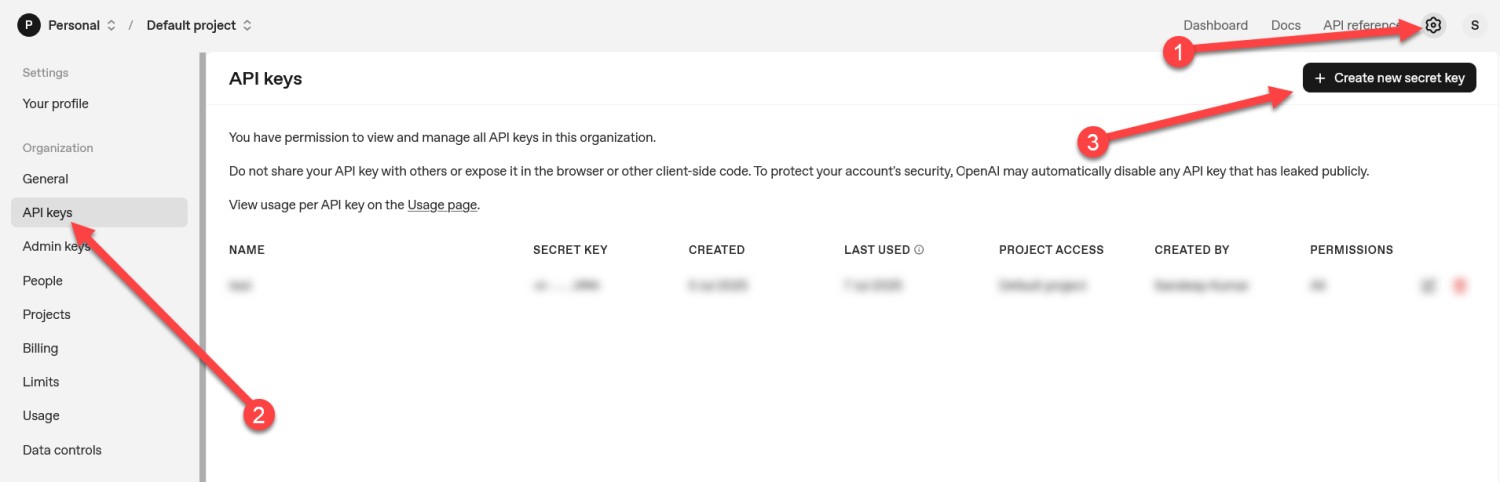
1) In your openAI account Click on Settings icon > API Keys.
then click on the Create new secret key button.
Here is the direct link to create API key
https://platform.openai.com/settings/organization/api-keys
2) Add Billing:
To use AI features, you need to add billing with a minimum $5 balance.
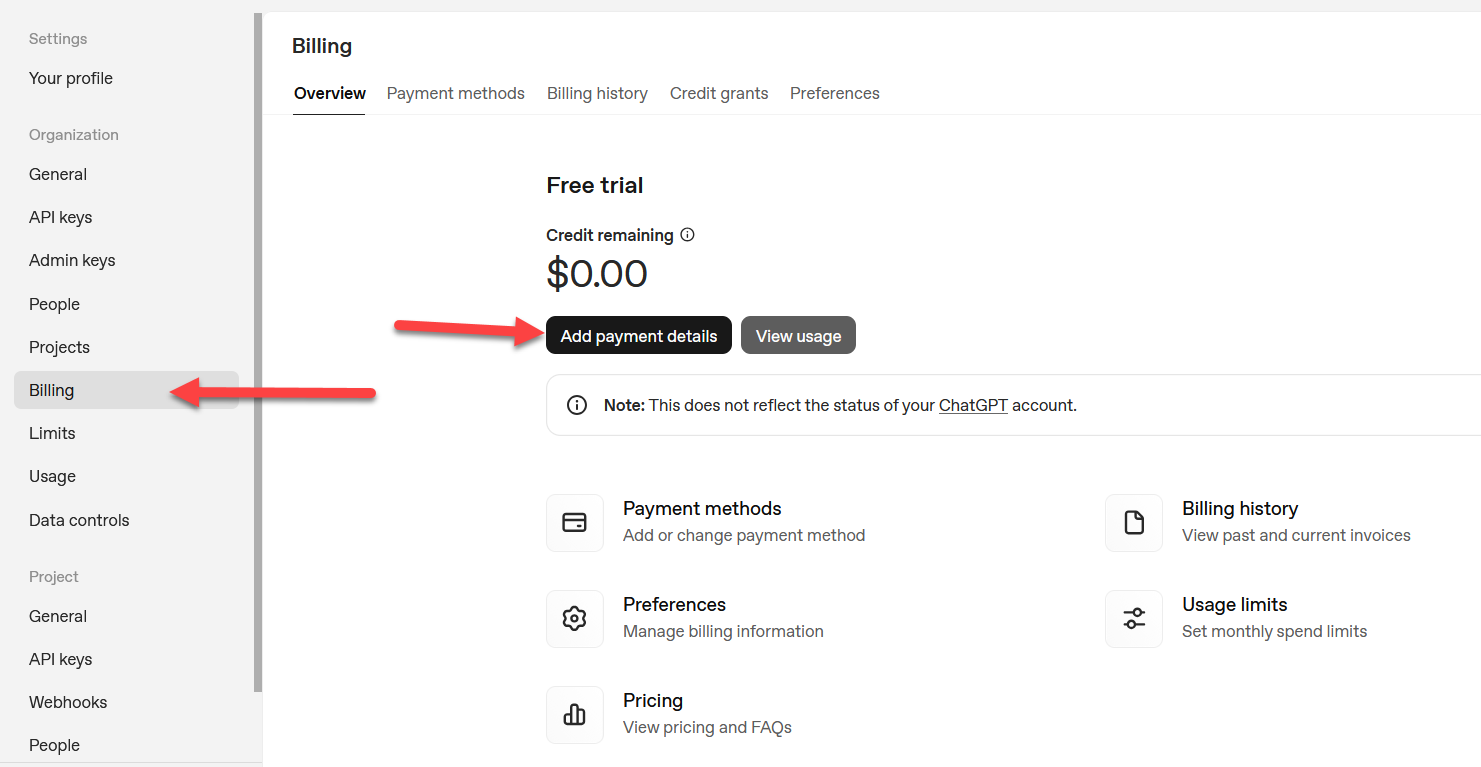
Click the Settings icon in your OpenAI account.
From the left-hand menu, select Billing.
Click Add Payment Details and enter your payment details.
Note: A minimum payment of $5 is required for your API key to function.
Here is the direct link of payment menthods
https://platform.openai.com/settings/organization/billing/overview
Copy the key and paste in the AI Call > API Key > OpenAI API Key.
Comments
0 comments
Please sign in to leave a comment.