
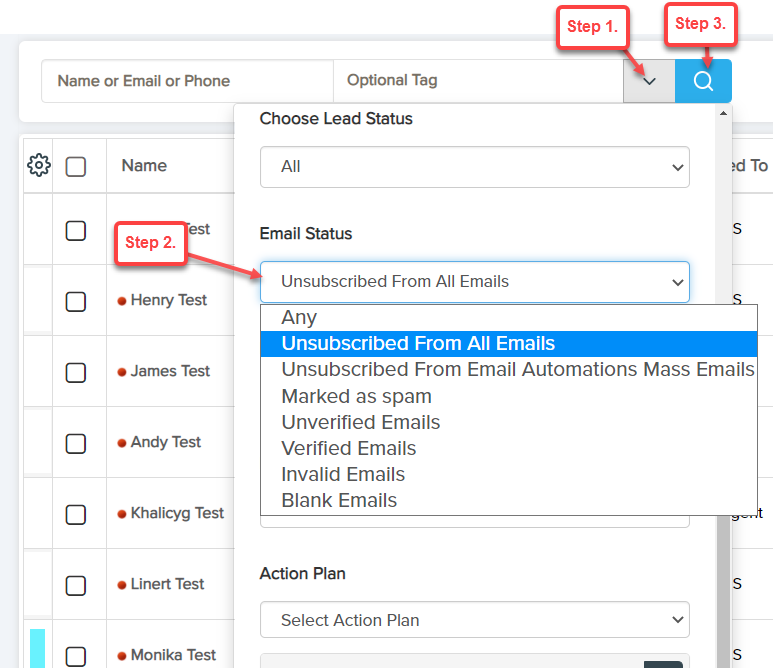
1) Find All Unsubscribed Leads: Go to LeadBooker CRM's Leads page and select 'Unsubscribed From All Emails' from email status search as shown below:
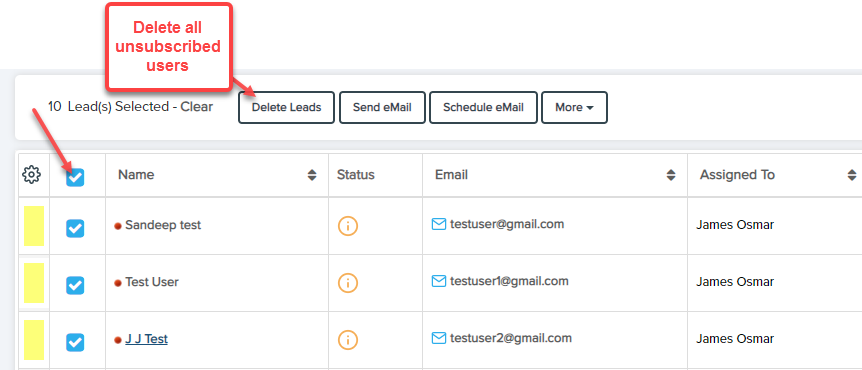
2) Delete All Unsubscribed Leads: Show and select all Unsubscribed Leads to delete as shown in the image below.

Comments
0 comments
Please sign in to leave a comment.