
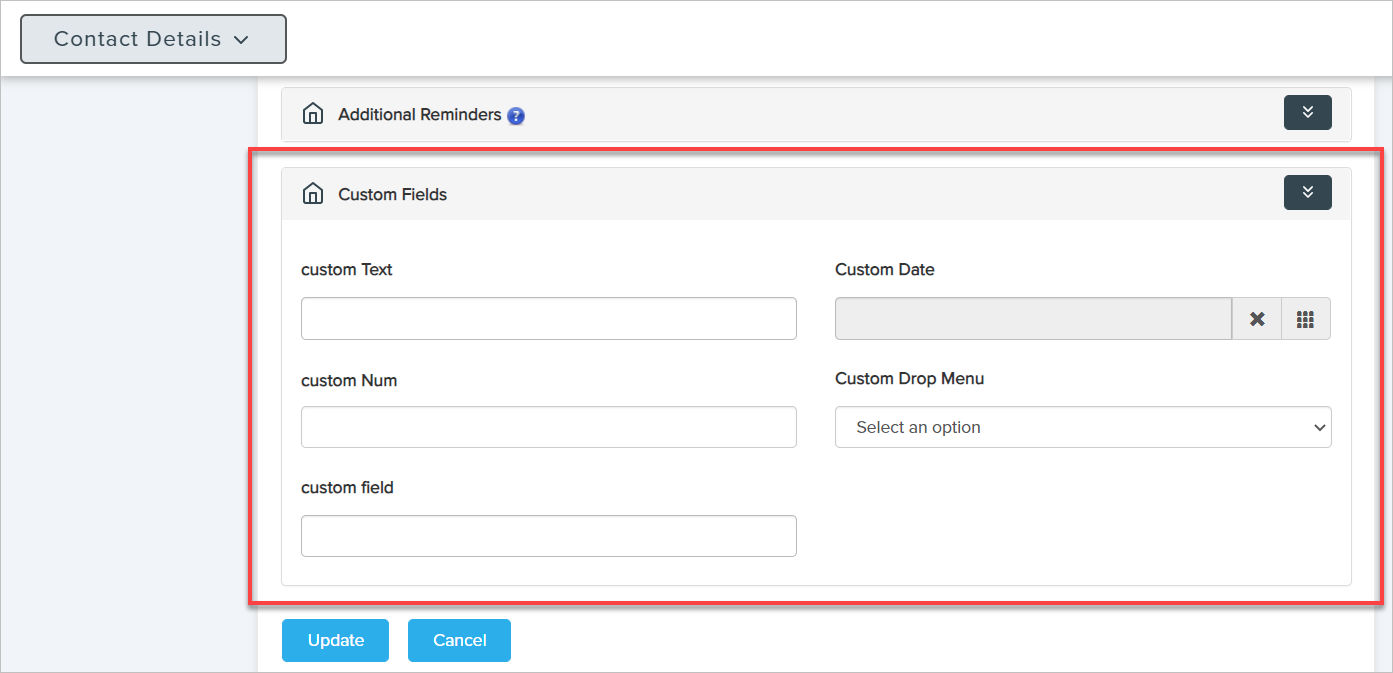
In Leedbooker CRM you can set up custom fields to track data that you like, in its own field.
Follow to steps to manage custom fields-
 Settings Manage Custom Fields.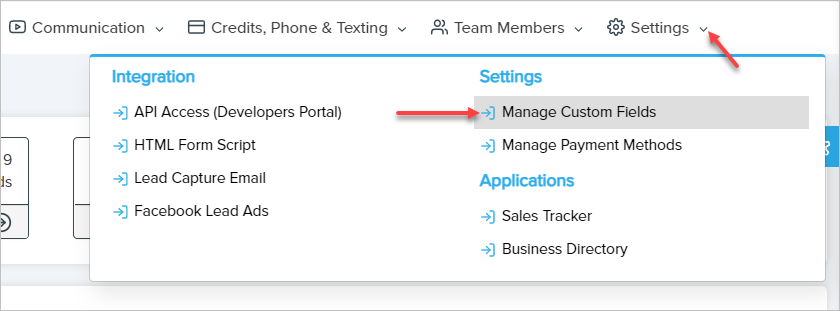
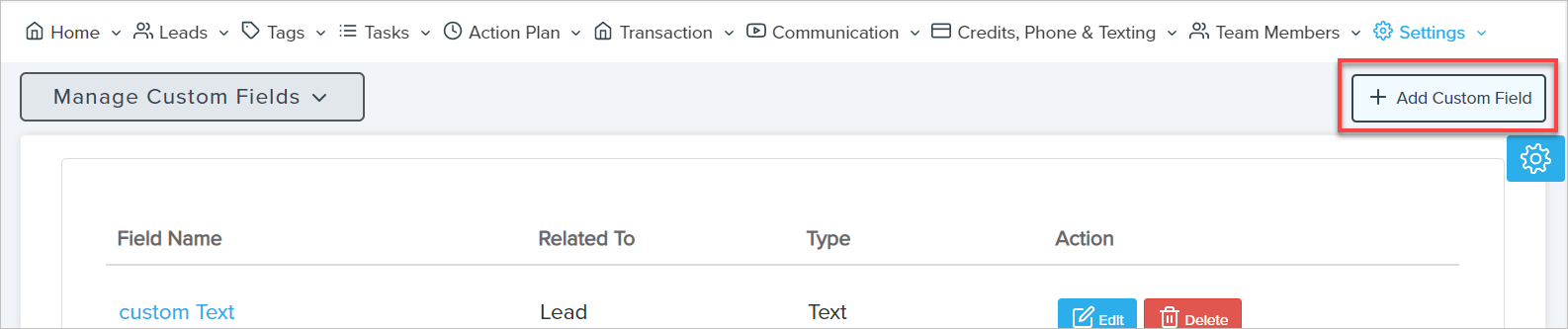
2. If you want to create a Custom Field, click Add Custom Field.
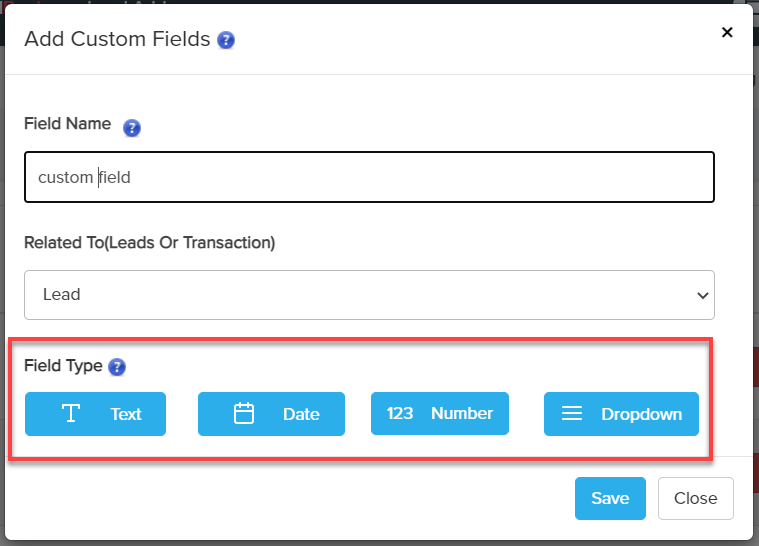
3. In LeadBooker CRM you can create four types of custom fields: Text, Date, Number, and Dropdown.
View Custom Fields on Lead's List Page: 
 Contact Details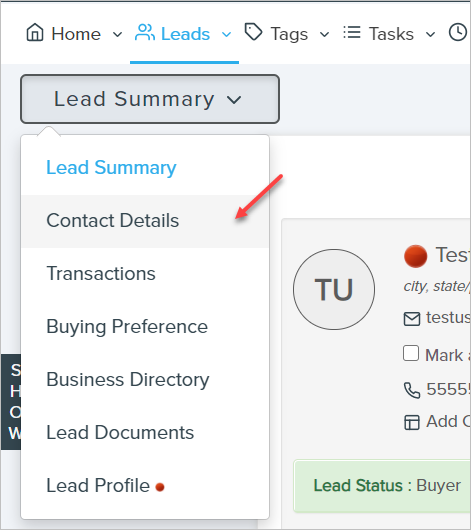
When importing Leads from a third-party CRM, you can also choose custom fields to save their data.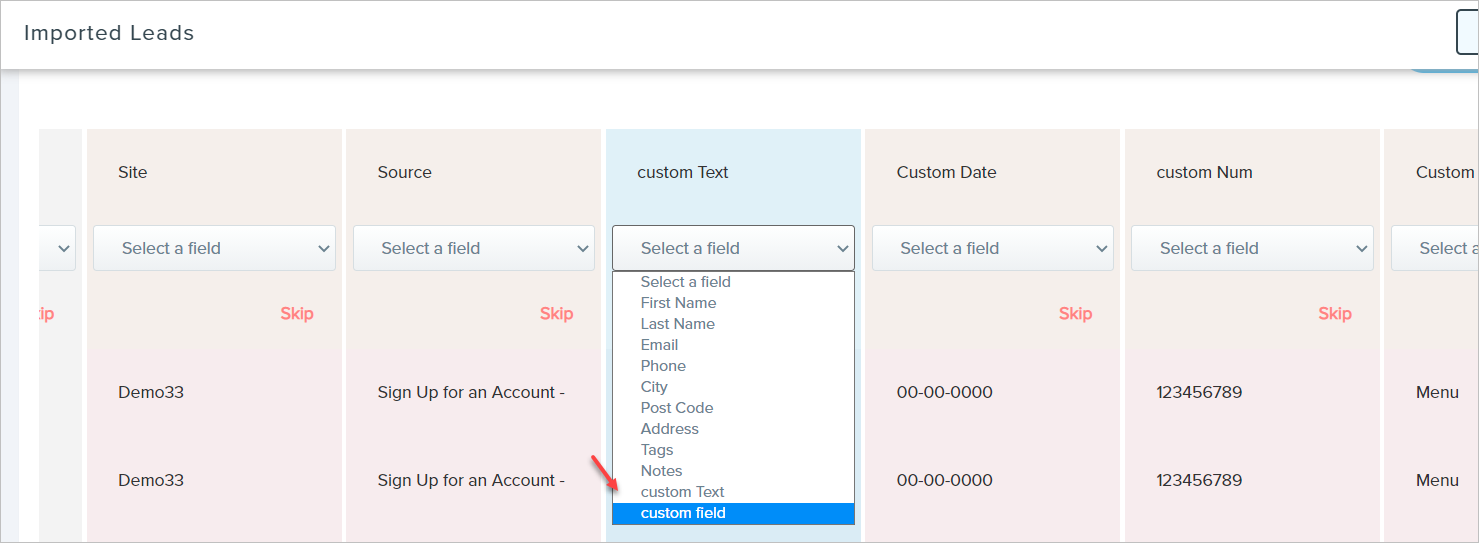
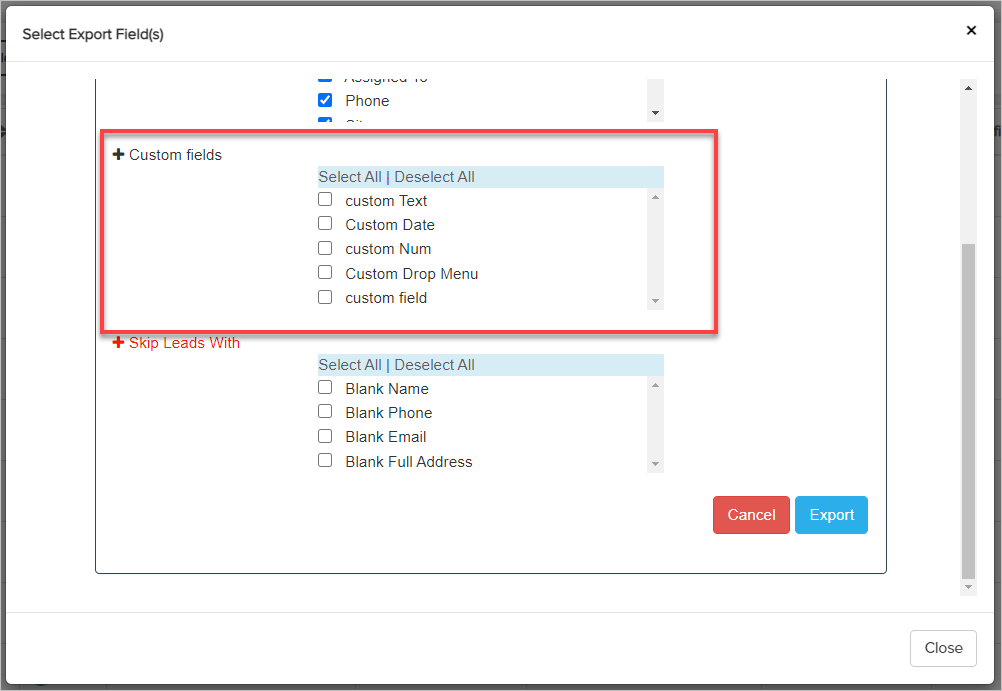
Choose Custom Fields while Exporting Leads
Comments
0 comments
Please sign in to leave a comment.